PC Budget Calculator
What parts do you need?
Choosing the right components for your PC can be challenging, as there is no one-size-fits-all solution. Before picking your parts, it's important to first familiarize yourself with the different components needed. Once you understand each part's role, you can assess your specific needs and determine which components meet the necessary specifications for your build.
Here is the list of all the components:
- CPU (Central Processing Unit)
- CPU Cooler
- Motherboard
- GPU (Graphics Card)
- RAM
- Storage
- Power supply
- Case
CPU is the brain of your computer, this chip will handle all mathematical and logical expressions. A CPU cooler is required to keep the temperattures of your CPU under control under high load. The Motherboard is a large frame on which every thing will be placed including the CPU, GPU, RAM and the Storage devices. Your GPU is responsible for all graphical processing, this includes playing video games, streaming, and video editing. RAM is the memory of your computer any and all processes will flow through it. Having sufficient RAM is vital as it may slow down all processes if it’s overloaded. A good capacity is 16-32 GB, This is sufficient for most programs and games these days. Storage is where all your information and data will be stored. Files keep getting bigger and bigger each year but so do storage options, for average use 1-2TB of storage should be enough. You may choose to expand later down the line if you find yourself running out of storage. The powersupply is what will turn your computer on and keep it running, in most PC builds you do not need a power supply larger than 700Watts. Finally the Case, this will be the chassis your components reside in, it is purely cosmetic. The only role it serves is being able to fit your style and your setup. Now that you are familiar with the components, it's time to figure out how much money you should allocate for each one.
| Part | Percentage Allocated | Image |
|---|---|---|
| CPU | 15-30% | 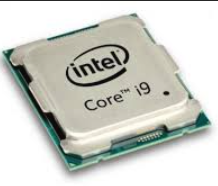 |
| CPU Cooler | 1-5% | 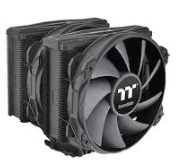 |
| Motherboard | 5-10% | 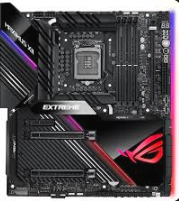 |
| GPU | 15-30% | 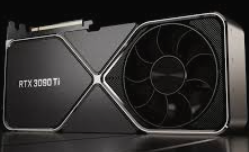 |
| RAM | 5-10% | 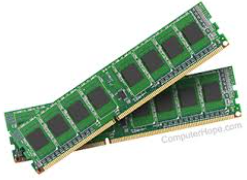 |
| Storage | 1-5% | 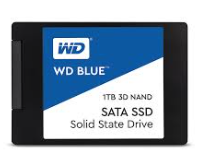 |
| Power Supply | 1-5% | 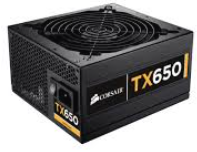 |
| Case | 1-5% | 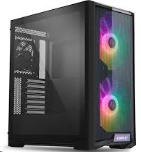 |
| For more information regarding Pc parts, Please visit PartPicker | ||
You should tailor your spending on components according to your requirements. For a gaming PC, it is wise to invest more in a high-performance GPU, as most modern games heavily rely on graphical power. However, if your focus is on music production or video editing, allocating more of your budget to a strong CPU is essential since these tasks depend on processing power.
RAM is crucial for any setup, but typically, spending around 5-10% of your budget on it should be sufficient, regardless of the intended use. When selecting a motherboard, ensure it includes the features you need, such as Wi-Fi, Ethernet, USB Type-C ports, Thunderbolt, and other USB inputs. Your power supply should be capable of supporting your system at full load, which will depend on the components you choose.
As for the case, it is mostly a matter of personal preference, so pick one that matches the style and appearance you envision for your setup. To make life easier for yourself please Visit PartPicker to skip over technical compatibility hurdles and select parts from a wide range of options.